Daltix
Matching
Human-in-the-Loop Product Matching for Retail Intelligence
Daltix
Matching
Human-in-the-Loop Product Matching for Retail Intelligence
Overview
Designing a data-intensive matching workflow for a B2B retail analytics platform, enabling category managers to efficiently compare products across competitors.
The solution combines AI-assisted matching with human validation, supporting both high-confidence automation and expert decision-making in complex edge cases.
By redesigning a high-density workflow, the experience balances AI automation with expert control, reducing manual effort while improving speed and accuracy.
- Role
- Senior Product Designer
- Scope
- B2B Retail Analytics Platform
- Duration
- Aug 2023 – Feb 2026
- Location
- Lisbon & Remote
Overview
Designing a data-intensive matching workflow for a B2B retail analytics platform, enabling category managers to efficiently compare products across competitors.
The solution combines AI-assisted matching with human validation, supporting both high-confidence automation and expert decision-making in complex edge cases.
By redesigning a high-density workflow, the experience balances AI automation with expert control, reducing manual effort while improving speed and accuracy.
- Role
- Senior Product Designer
- Scope
- B2B Retail Analytics Platform
- Duration
- Aug 2023 – Feb 2026
- Location
- Lisbon & Remote
Challenges
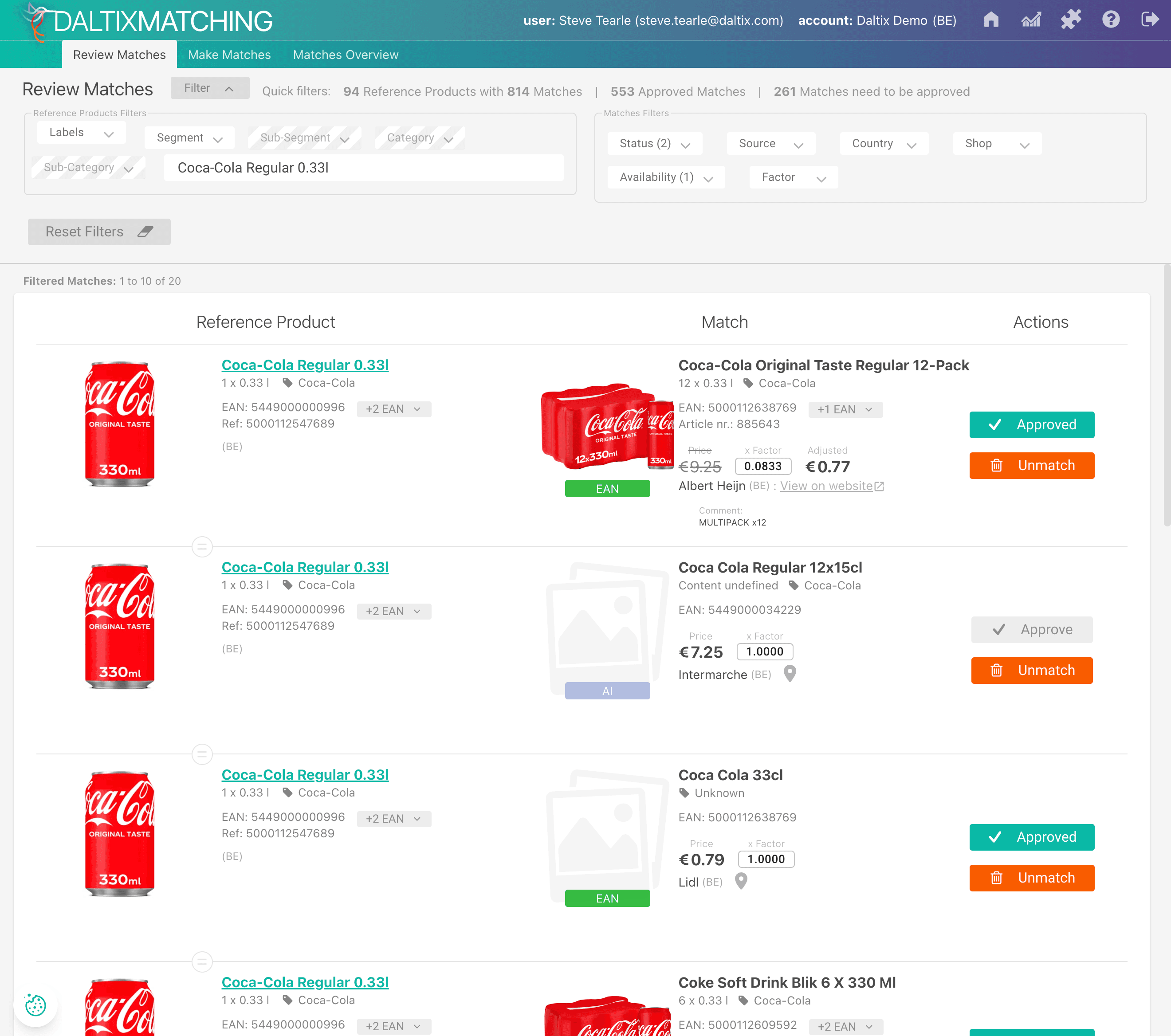
The legacy Matching tool fragmented the product comparison workflow, forcing analysts to navigate repetitive data structures and make decisions with limited visibility.
- Redundant data structures
Each reference product was repeated for every potential match, resulting in fragmented views and excessive pagination - Difficult product comparison
Retail attributes were inconsistently aligned, making it hard to evaluate products side-by-side - Limited decision visibility
Users lacked a clear overview of match status, slowing down bulk decision-making - High cognitive load
The interface did not reflect how analysts mentally group and compare products, increasing effort and error risk
Challenges
The legacy Matching tool fragmented the product comparison workflow, forcing analysts to navigate repetitive data structures and make decisions with limited visibility.
- Redundant data structures
Each reference product was repeated for every potential match, resulting in fragmented views and excessive pagination - Difficult product comparison
Retail attributes were inconsistently aligned, making it hard to evaluate products side-by-side - Limited decision visibility
Users lacked a clear overview of match status, slowing down bulk decision-making - High cognitive load
The interface did not reflect how analysts mentally group and compare products, increasing effort and error risk
Role
- Led the end-to-end redesign of the Matching tool
- Re-architected the information hierarchy and core workflow structure
- Defined scalable patterns for high-density data comparison
- Collaborated closely with product and engineering to align AI-assisted workflows with user needs
Role
- Led the end-to-end redesign of the Matching tool
- Re-architected the information hierarchy and core workflow structure
- Defined scalable patterns for high-density data comparison
- Collaborated closely with product and engineering to align AI-assisted workflows with user needs
Solution
The redesign of the Matching tool focused on efficiency, clarity, and AI-human integration. The goal was to transform a fragmented workflow into a high-density, scannable, and actionable interface that aligned with analysts’ mental models.
Solution
The redesign of the Matching tool focused on efficiency, clarity, and AI-human integration. The goal was to transform a fragmented workflow into a high-density, scannable, and actionable interface that aligned with analysts’ mental models.
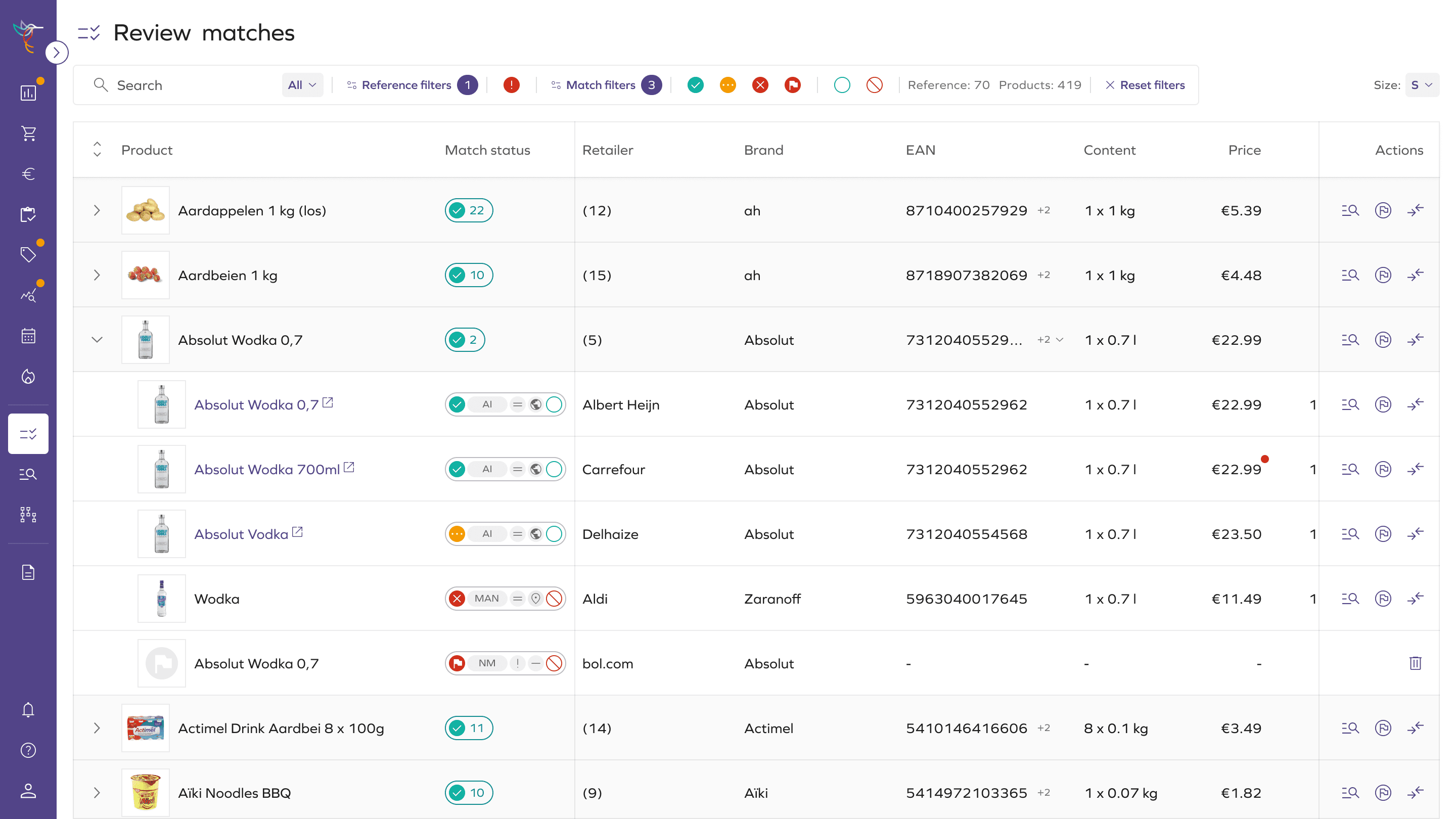
Structural redesign
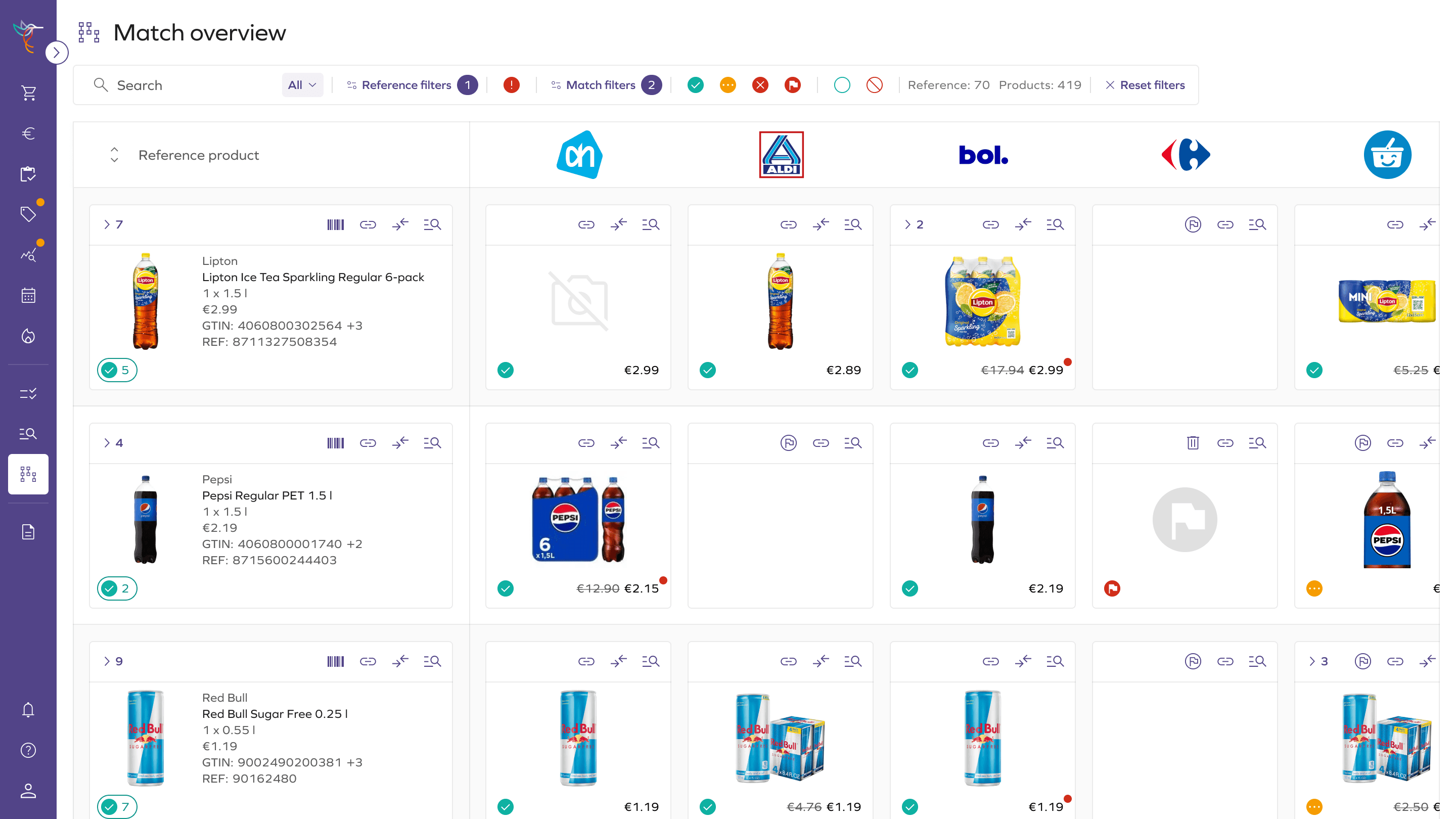
To reduce redundancy and improve visibility, we re-architected how reference products and potential matches were displayed.
- Replaced repetitive one-to-one rows with expandable match clusters
- Increased visible references per screen (10–15 vs 1–2), reducing pagination
- Collapsible structure allows faster scanning and more compact layout
Structural redesign
To reduce redundancy and improve visibility, we re-architected how reference products and potential matches were displayed.
- Replaced repetitive one-to-one rows with expandable match clusters
- Increased visible references per screen (10–15 vs 1–2), reducing pagination
- Collapsible structure allows faster scanning and more compact layout
- Aligned retail attributes in a structured comparison grid
- Enabled side-by-side evaluation of key product fields
- Supported variable row sizing for images
- Integrated in-context product search
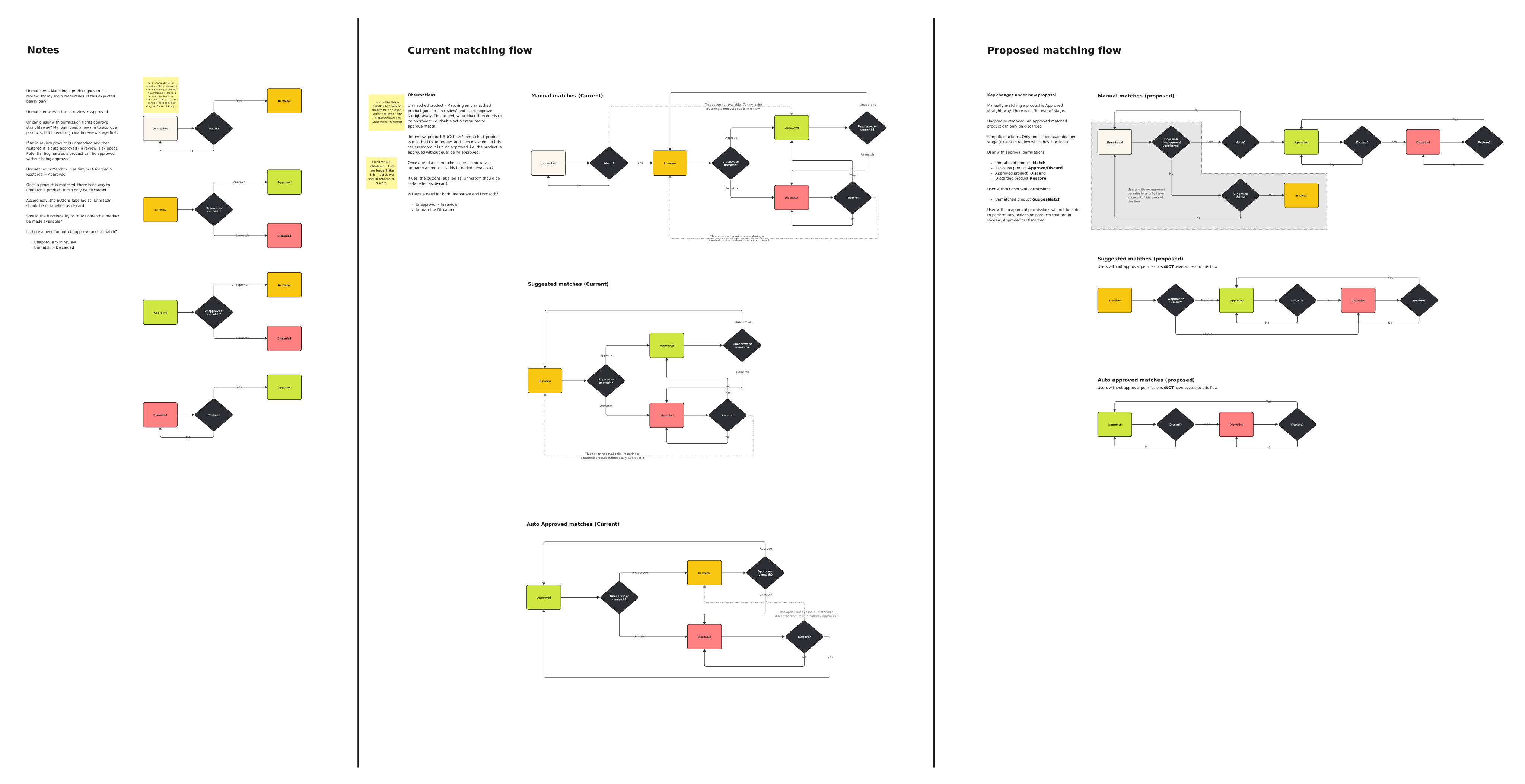
- AI-assisted workflow: High-confidence matches automatically approved; Lower-confidence suggestions surfaced for expert validation
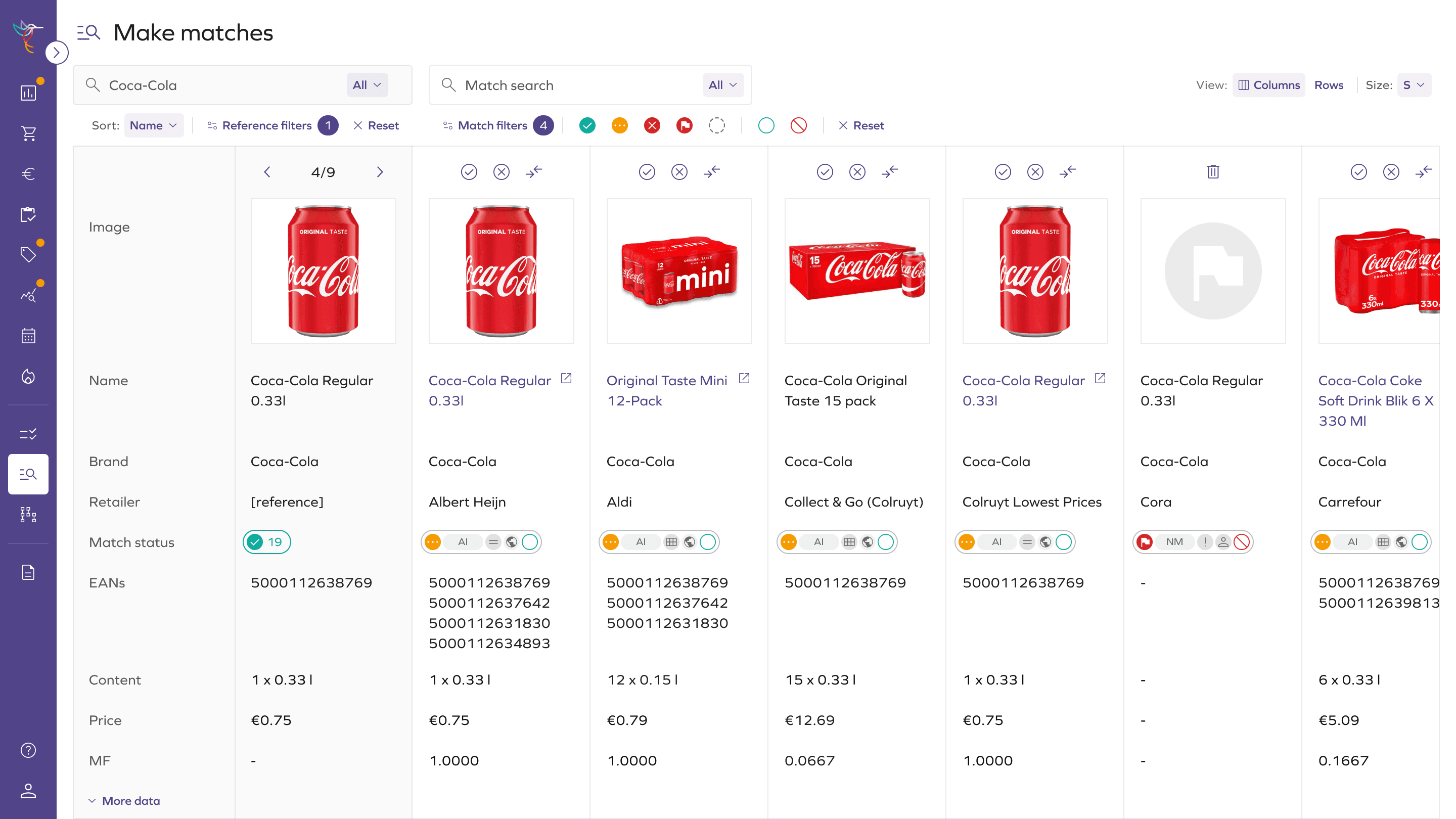
Comparison Clarity & AI Integration
Aligned data presentation for clarity and integrated AI to automate routine tasks while preserving human oversight.
- Aligned retail attributes in a structured comparison grid
- Enabled side-by-side evaluation of key product fields
- Supported variable row sizing for images
- Integrated in-context product search
- AI-assisted workflow: High-confidence matches automatically approved; Lower-confidence suggestions surfaced for expert validation
Comparison Clarity & AI Integration
Aligned data presentation for clarity and integrated AI to automate routine tasks while preserving human oversight.
Decision Efficiency
Analysts needed faster ways to act on matches while maintaining control over decisions.
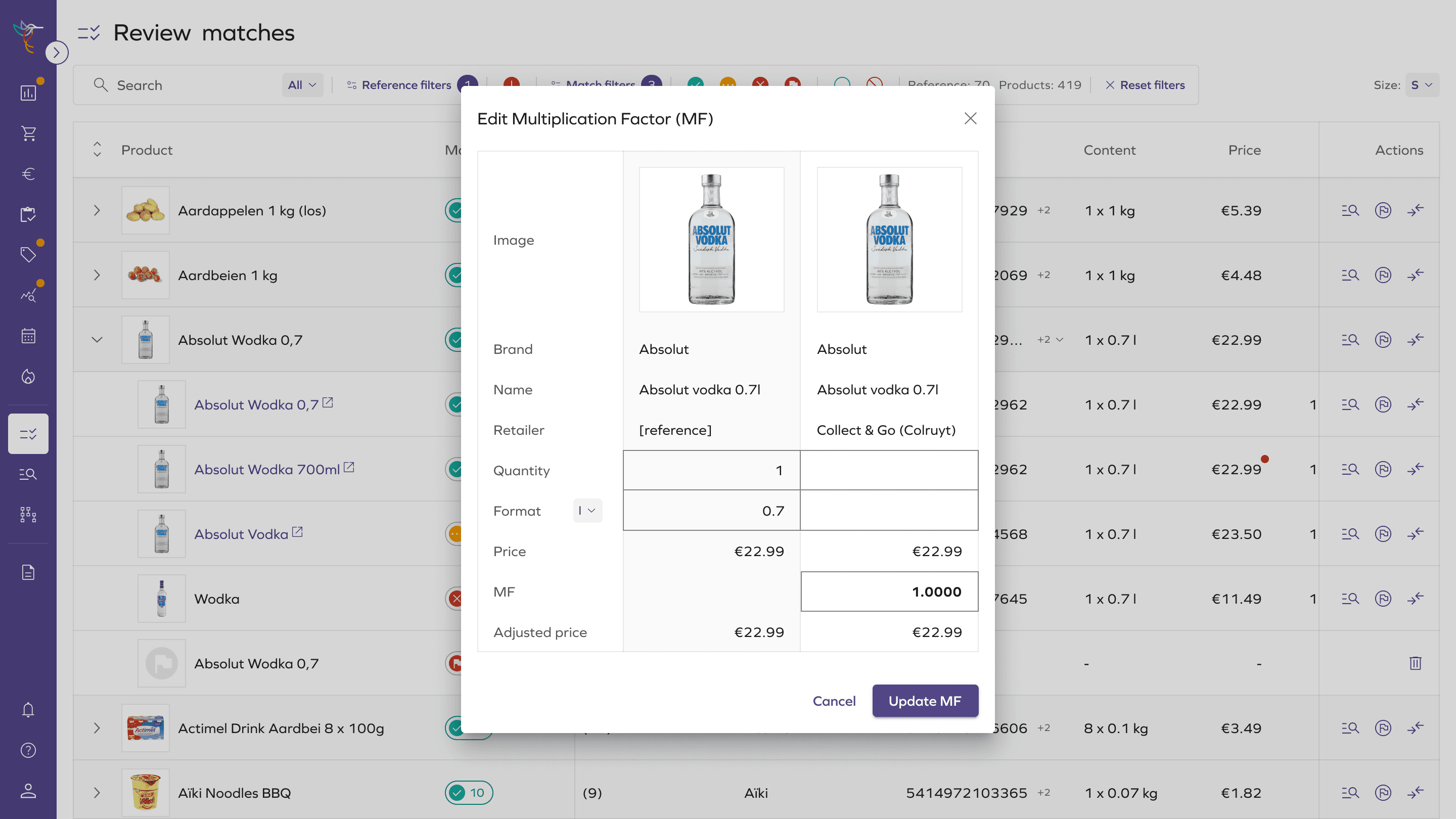
- Introduced bulk approve/discard actions
- Added match status summaries per reference product
- Created a simplified overview mode for rapid review of multiple products
Decision Efficiency
Analysts needed faster ways to act on matches while maintaining control over decisions.
- Introduced bulk approve/discard actions
- Added match status summaries per reference product
- Created a simplified overview mode for rapid review of multiple products
Design & UX Highlights
- Built Daltix’s design system, establishing consistent patterns for high-density workflows
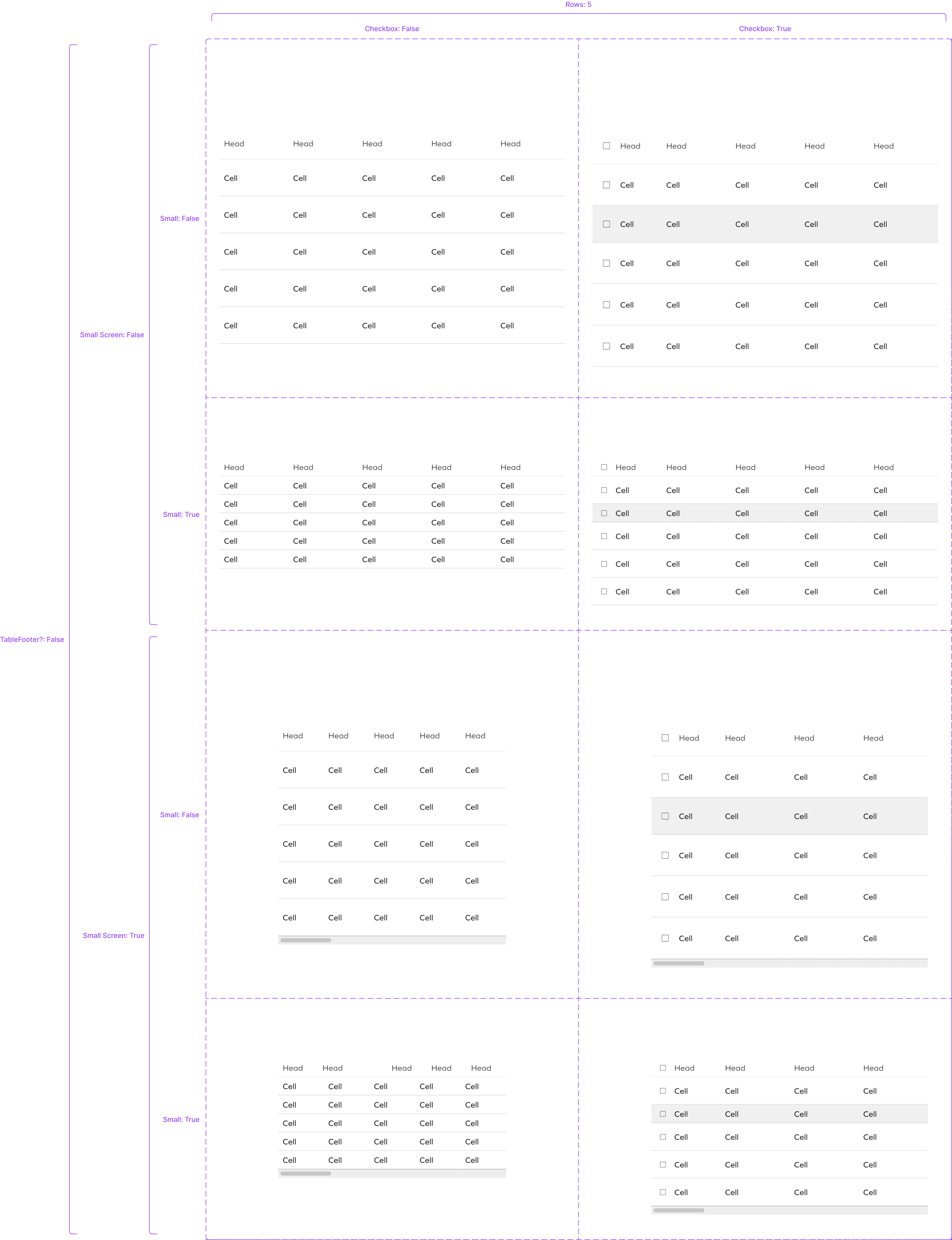
- Leveraged Material-UI (MUI) components for grids, tables, and interactive controls to align with engineering’s stack
- Designed reusable, scalable patterns that adapt to dynamic product data and AI-assisted workflows
- Maintained high visual clarity and accessibility across dense, data-heavy screens
Design & UX Highlights
- Built Daltix’s design system, establishing consistent patterns for high-density workflows
- Leveraged Material-UI (MUI) components for grids, tables, and interactive controls to align with engineering’s stack
- Designed reusable, scalable patterns that adapt to dynamic product data and AI-assisted workflows
- Maintained high visual clarity and accessibility across dense, data-heavy screens
Impact
- Increased visibility from single-product views to multi-product clusters
- Improved comparison speed through structured, aligned data views
- Enabled faster decisions with bulk actions and clear status visibility
- Reduced cognitive load by aligning with analyst mental models
- Supported adoption of Daltix’s native matching workflows
Impact
- Increased visibility from single-product views to multi-product clusters
- Improved comparison speed through structured, aligned data views
- Enabled faster decisions with bulk actions and clear status visibility
- Reduced cognitive load by aligning with analyst mental models
- Supported adoption of Daltix’s native matching workflows
About
Seasoned UX/UI Specialist with a proven track record of creating intuitive and user-friendly interfaces for a wide range of products.
Over the years, enjoyed collaborating with established companies, financial institutions, government organizations, and digital agencies to create solutions that work for both users and business goals.
About
Seasoned UX/UI Specialist with a proven track record of creating intuitive and user-friendly interfaces for a wide range of products.
Over the years, enjoyed collaborating with established companies, financial institutions, government organizations, and digital agencies to create solutions that work for both users and business goals.